
Download RapidComposer – Music Composition, Chord Progression, Melody Generator, Music Theory Tool, Songwriting Software
Overview
RapidComposer is a specialized mobile application designed to assist composers and music creators in developing musical ideas with speed and precision. Tailored for both novice and experienced musicians, the app addresses common challenges in the creative process—such as writer’s block, harmonic uncertainty, and inefficient workflow—by offering an intuitive environment for music prototyping. Its non-destructive editing model allows users to experiment freely without fear of permanent changes, fostering a safe space for creative exploration.
The app integrates music theory directly into the composition workflow, making advanced concepts accessible to users without formal training in piano or music notation. This makes it particularly valuable for independent artists, bedroom producers, and students learning composition. Real-world use cases include rapid sketching of song ideas, generating harmonized melodies, and experimenting with chord progressions across different tonalities.
In the broader app ecosystem, RapidComposer fills a niche for mobile-first music creation tools that prioritize both accessibility and depth. While the developer did not provide additional technical details, the app’s focus on theory integration and smart generation suggests a strong foundation in algorithmic composition. It represents a thoughtful step toward democratizing music creation on mobile platforms.
Key Features & Functionality
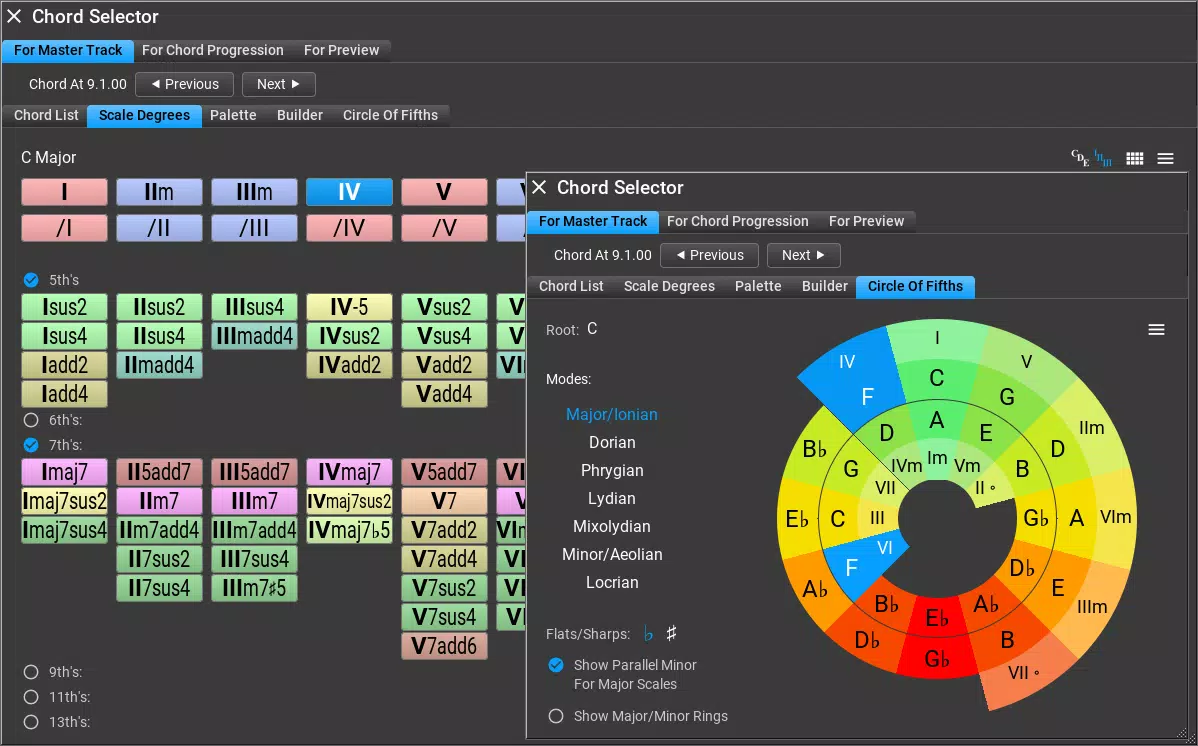
- Music Theory Integration: RapidComposer embeds core music theory principles directly into the user interface. Users can generate chord progressions and auto-harmonize melodies based on selected scales and keys. The app supports tools like the circle of fifths and Tonnetz for advanced harmonic exploration, enabling users to build musically coherent sequences even without deep theoretical knowledge.
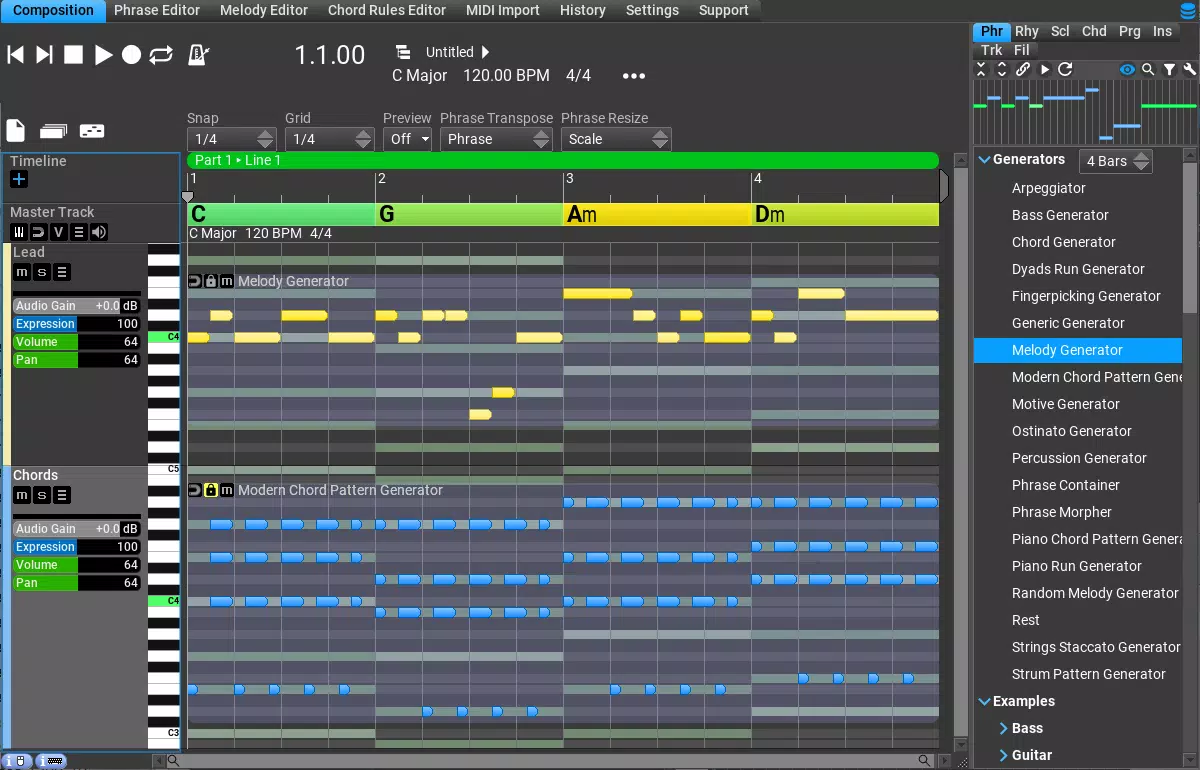
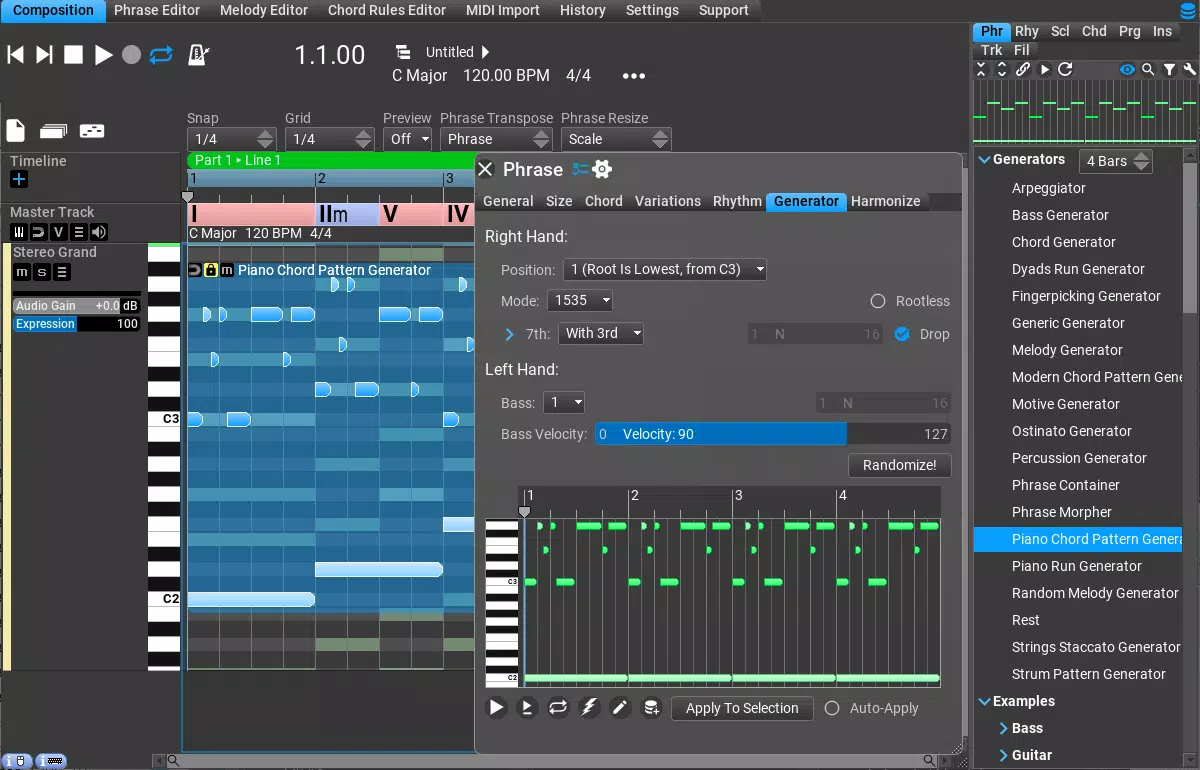
- Smart Phrase Generation: This feature dynamically adapts to the current chord and scale, producing harmonized melodic phrases with proper voice leading. It allows users to generate full harmony tracks with minimal input, ideal for quickly prototyping song sections or expanding a simple idea into a layered arrangement.
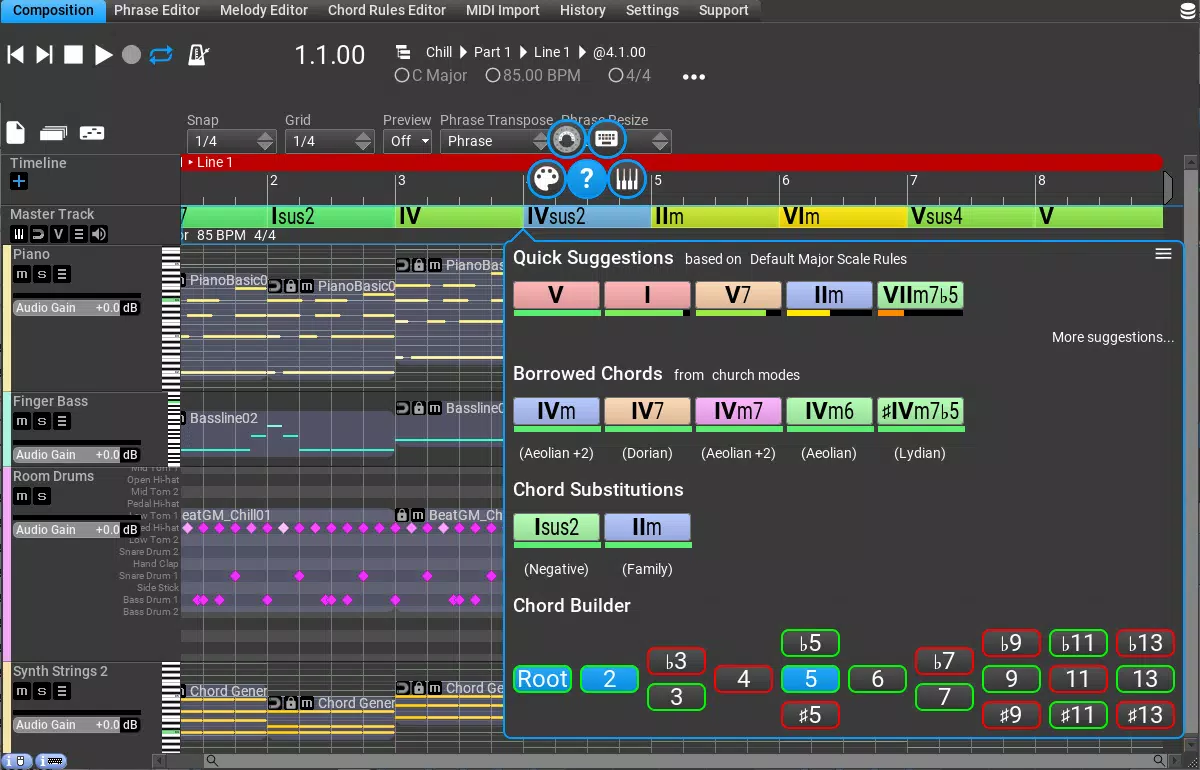
- Flexible Chord Selection: The app provides multiple methods for choosing chords, including visual navigation via the circle of fifths and Tonnetz. Chords can be color-coded by tonality or consonance, allowing users to filter and select harmonies based on emotional or stylistic intent.
- Idea Tool (Full Edition): This advanced feature enables users to generate a complete multi-track composition from a single phrase or preference. It supports distinct creative workflows, making it useful not only during inspiration droughts but also in regular brainstorming sessions.
- MIDI Mutator (Full Edition): Users can transform existing MIDI patterns with a single click—altering rhythms, adjusting chord voicings, or replacing chords entirely. This functionality encourages experimentation and rapid iteration, essential for modern music production.
For example, a composer could input a simple melody, use the smart phrase generator to create harmonies, then apply the MIDI Mutator to generate rhythmic variations. The app’s theory-based suggestions ensure that all generated content remains musically valid, reducing the need for manual corrections and streamlining the creative process.
Interface, UX & Performance
RapidComposer features a clean, visually intuitive interface designed to minimize cognitive load during creative work. The layout emphasizes clarity and direct access to core tools, with logical grouping of features such as chord selection, phrase generation, and theory aids. Navigation is consistent across screens, allowing users to move seamlessly between composing, editing, and previewing ideas.
The visual style is modern and functional, using color-coded elements to represent tonal relationships and harmonic functions. Although the developer did not list formal performance metrics, the app’s compact size of 12.3 MB suggests optimized resource usage. It is likely designed to run efficiently on a range of Android devices, including mid-tier smartphones.
Responsiveness appears to be a priority, with immediate feedback on user inputs such as chord changes or phrase generation. Stability is expected given the app’s focused functionality and lack of complex background processes. However, specific requirements for device performance or OS version were not disclosed.
Overall, the UX reflects a strong understanding of the needs of creative professionals who value speed, clarity, and reliability in their tools.
Platform Compatibility & Technical Requirements
RapidComposer is available exclusively on the Android platform. The current version is 1.0.2, with a file size of 12.3 MB, indicating a lightweight and efficient design. The developer did not specify minimum OS requirements or device compatibility details.
As such, users should verify whether their device meets the necessary conditions for installation and smooth operation. The app’s size suggests it is optimized for mobile deployment, making it accessible even on devices with limited storage. While the developer did not disclose specific hardware or software prerequisites, the app’s focus on core composition tasks implies it does not require high-end processing power.
For users seeking a mobile solution for music creation, RapidComposer offers a compact yet powerful toolset. Compatibility with specific Android versions or devices remains unconfirmed.
Pros and Cons
- Intuitive interface tailored for music composition
- Strong integration of music theory concepts
- Non-destructive editing preserves creative freedom
- Smart phrase generation enhances workflow efficiency
- Compact file size for a feature-rich app
- Specific OS requirements not disclosed
- Only available on Android (no iOS version mentioned)
- Full edition features require purchase
- Price point may be high for casual users
- Limited public information about update frequency
FAQ
Is RapidComposer available for iOS devices?
The app is currently available only on Android. No information was provided about future iOS availability.
Can I use RapidComposer without prior music theory knowledge?
Yes. The app is designed to support users of all skill levels, with built-in theory tools that guide chord selection and harmony creation.
Does the app require an internet connection?
Based on the available information, the app appears to function offline. No cloud-based features or connectivity requirements were mentioned.
Are updates free for existing users?
Details about update policies were not provided. Users should check the app store for current update terms.
Is the full edition worth the price?
With advanced features like the Idea Tool and MIDI Mutator, the full edition offers significant value for serious composers. However, the price may be a barrier for casual users.
Final Thoughts
RapidComposer stands out as a focused, intelligent tool for mobile music composition. Its blend of music theory integration, smart generation, and non-destructive editing makes it a powerful ally for composers seeking to accelerate their creative process. While it is currently limited to Android and priced at $24.99, its feature set justifies the investment for dedicated musicians and producers.
The app excels in helping users overcome creative hurdles and explore musical ideas with confidence. Whether you're drafting a new song, experimenting with chord progressions, or refining a melody, RapidComposer provides the tools to do so efficiently. For anyone serious about music creation on mobile, this app delivers tangible value.
Download RapidComposer now.


